Set Up Phone Call Allowance
The Call Allowances option enables the user to define whether the property has a free call allowance.
Perform the following steps to manage call allowance:
Navigate to Settings ➜ All Settings ➜ Phone Call Management (under General).
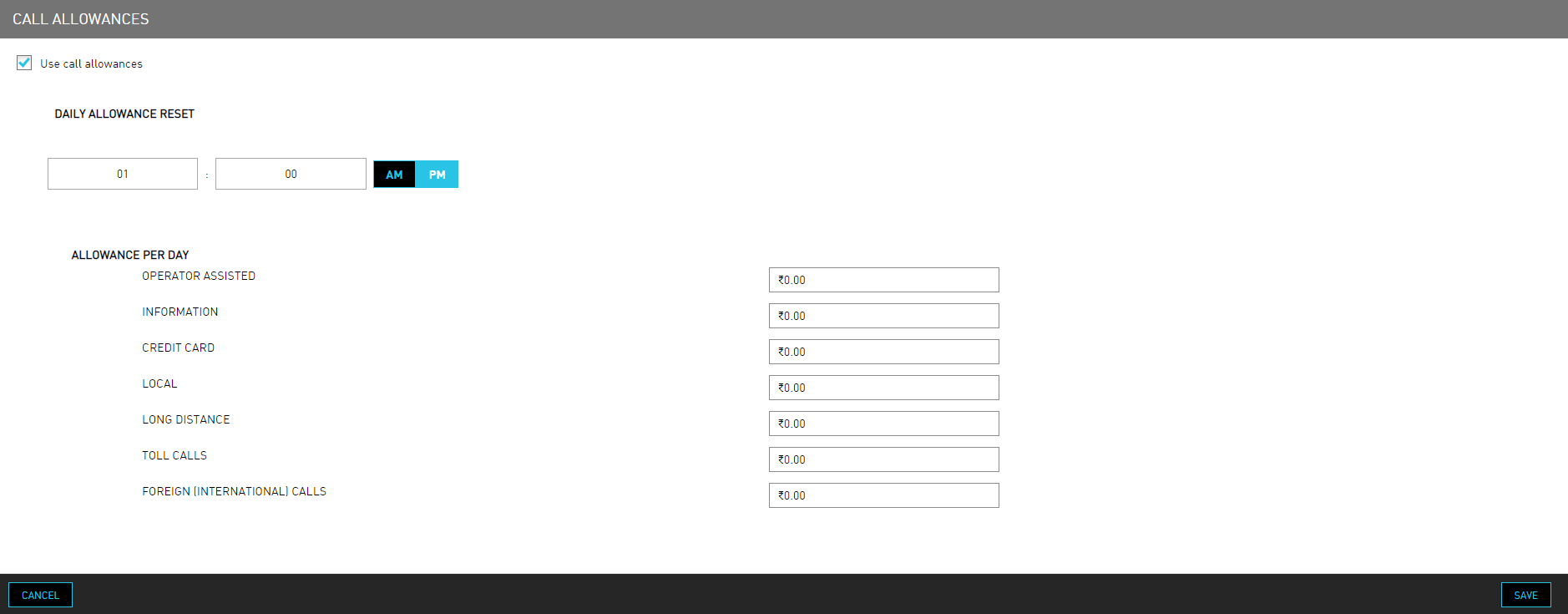
Select the Use call allowances checkbox if the user wants to allow the guests to place calls for free for a specific amount of time.
Enter the default allotted time of day to set the Daily Allowance Reset.
The default allotment is from noon to noon and does not rollover. Users can consider this a use it or lose it amenity.
Define the Allowance Per Day, which is the dollar amount available to the Guest to make a phone call without incurring a charge. Enter a dollar amount for each call type.
Click Save.